Every Section, Explained
Thirteen dedicated sections built for the way adult content sellers actually work.
Your Command Centre
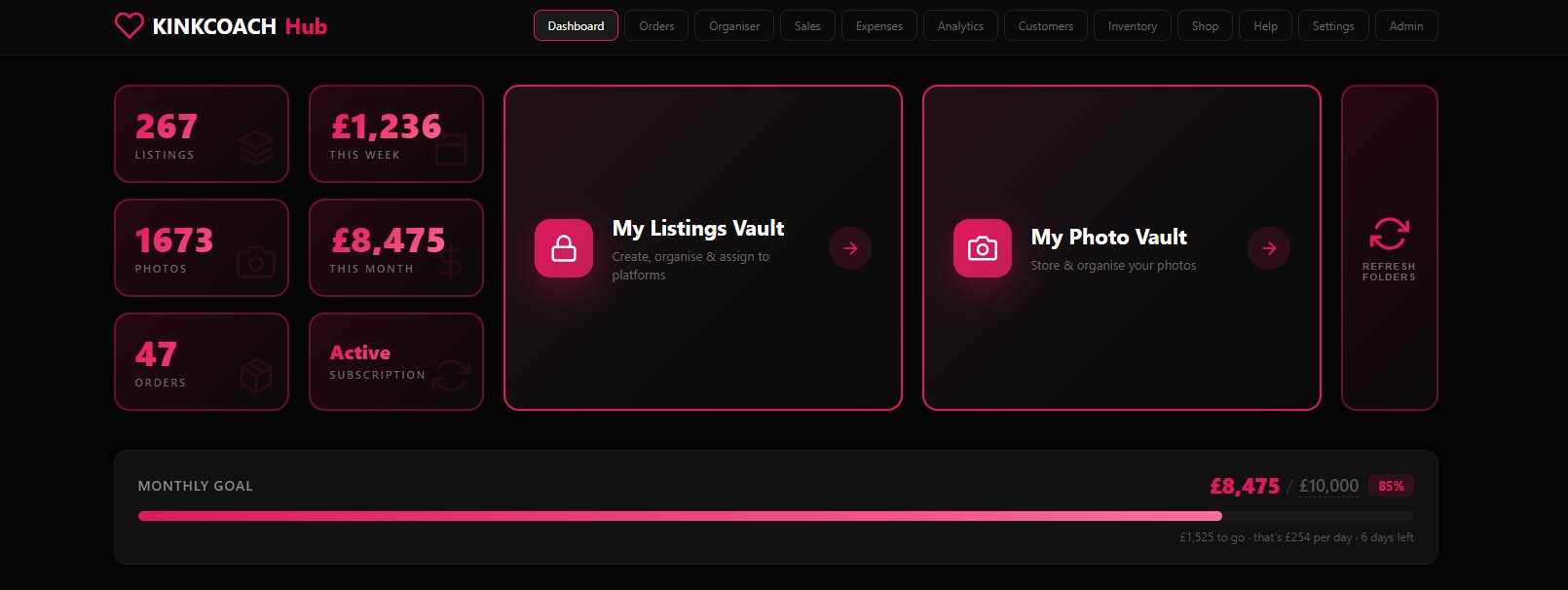
An at-a-glance view of your entire business. Total listings, photos, active orders, weekly and monthly revenue, plus a monthly goal tracker that calculates exactly what you need to earn per day to hit it.
Live Stats
Listings, photos, orders, weekly and monthly revenue. Updated as you work.
Monthly Goal Tracker
Set your target. Track progress. See exactly what you need to earn per day to land it.
Vault Shortcuts
One-tap access to your Listings Vault and Photo Vault from anywhere.
Platform Folders
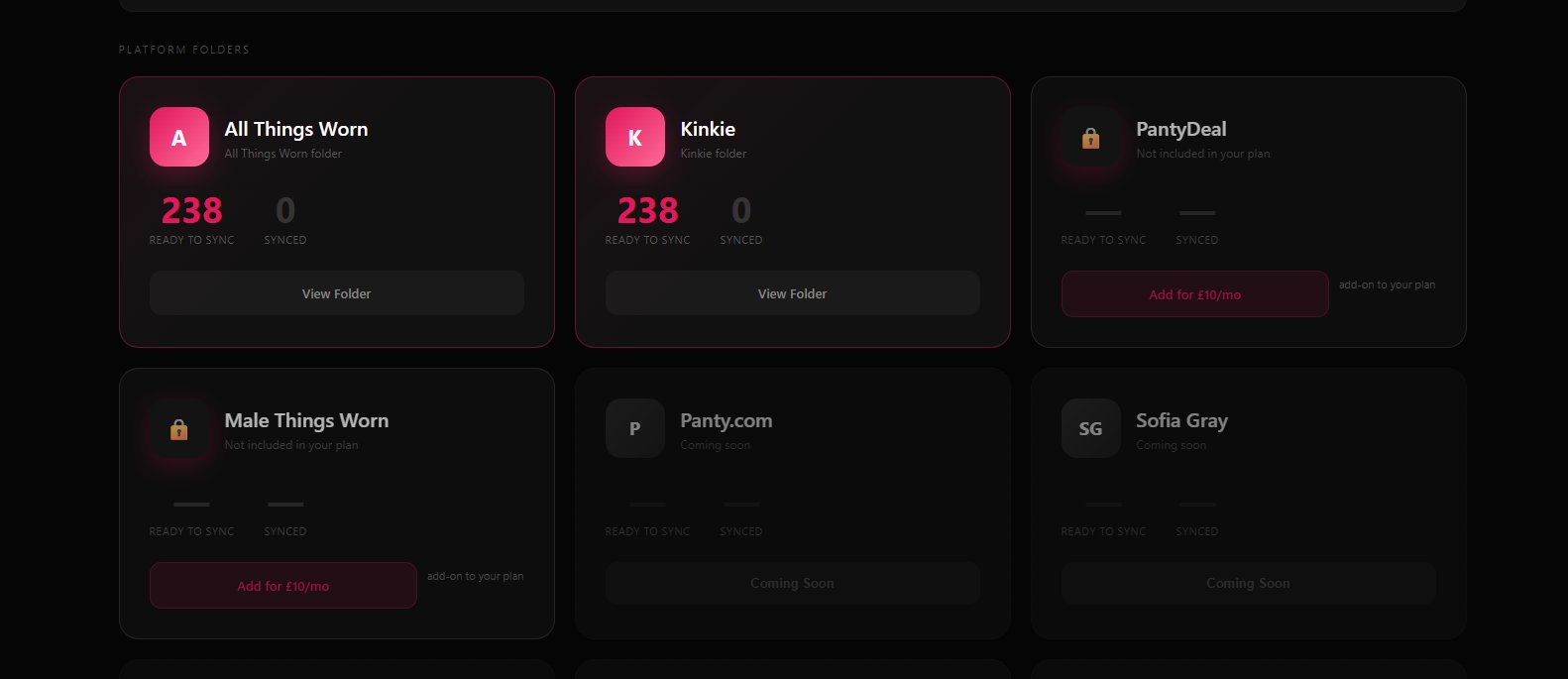
See your sync status across every platform you sell on. Connected, ready to sync, synced, all visible at a glance.
One Listing. Every Platform. Always Safe.
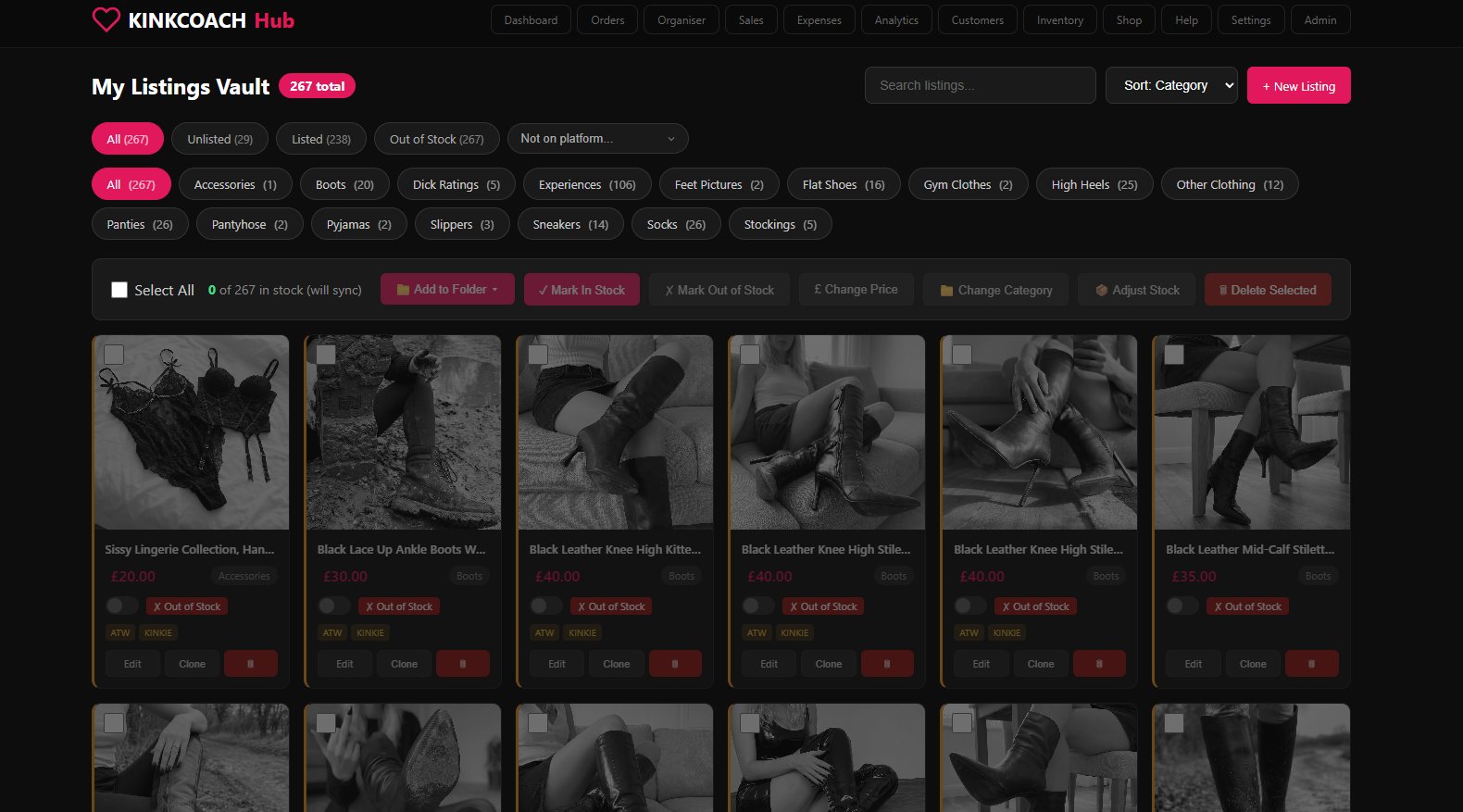
Build every listing once in your Vault, tick where you want it live including your own storefront, and KC Hub Sync handles the rest. Edit it once and every destination updates within minutes. If a platform bans you, your listings survive in the Vault and re-publish to any other platform with a single click.
Make Once, Sell Everywhere
Create a listing in the Vault, tick the platforms, KC Hub Sync pushes it live to ATW, Kinkie, MTW, and PantyDeal. No copying, no re-typing, no re-uploading photos.
Edit Once, Update Everywhere
Change a price or description in the Vault. Every connected platform updates automatically within minutes. Sales, fixes, restocks, all in one edit.
Listings Always Safe
Banned, suspended, or just want to switch? Your listings survive in the Vault. Re-publish them to any new account or platform with one click.
Two-Way Import
Already got listings on a platform? Pull them into the Vault and start running everything from one place without re-typing a single item.
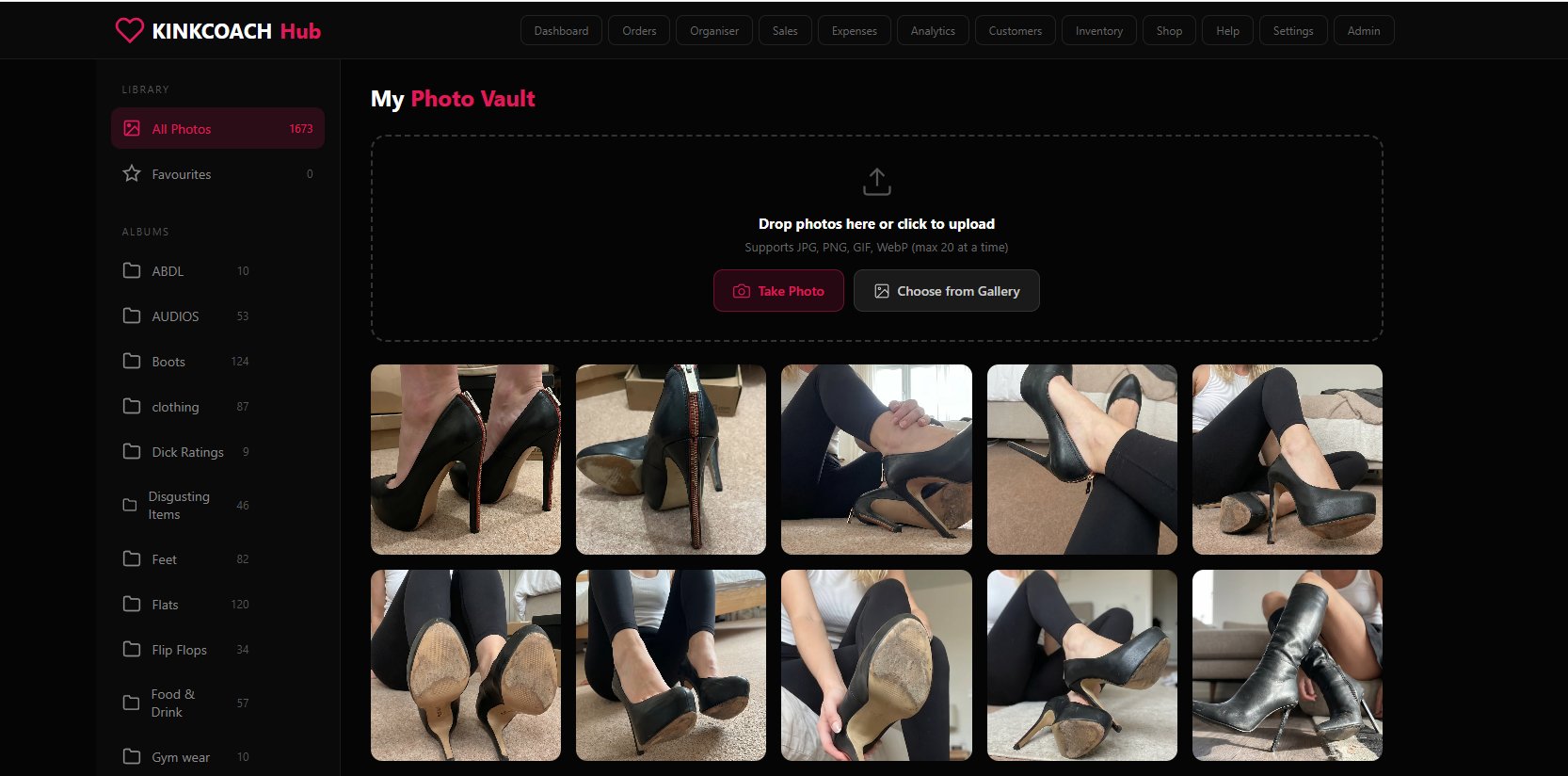
Every Photo, Every Album, One Place
Upload thousands of photos, organise them into custom albums, and pull from them when building any listing. Drop from desktop, snap from your phone camera, or pull from your gallery. Favourites flagged, counts live, original quality preserved.
Unlimited Albums
Build your own albums for boots, panties, feet, customs, anything. Folder counts update live as you upload.
Favourites & Quick Pick
Star your strongest photos. Pull from favourites first when building a listing fast.
Drop, Snap, or Import
Drag from desktop, take a photo direct from your phone camera, or pull from your gallery. Up to 20 at a time.
Every Format Covered
JPG, PNG, GIF, WebP all supported. Original quality preserved for listing photos.
Track Every Order, Beginning to End
Custom sections you define, postage and wear status dots, search across thousands of orders, and bulk move/clone/edit actions. Whether you ship 5 a week or 50, nothing falls through the cracks.
Custom Sections
Group orders by lifecycle stage. Awaiting category, shoes for prep, posted, anything you need.
Postage & Wear Tracking
Coloured status dots show booked postage and worn-not-worn at a glance. Never lose track of an order in progress.
Outstanding View
One-click filter to only orders that still need work. Cuts through the noise when you've got 50+ open.
Bulk Actions
Move, clone, edit, or delete dozens of orders in one go. Plus a planner availability row that shows free dates inline.
Three Tools, One Tab
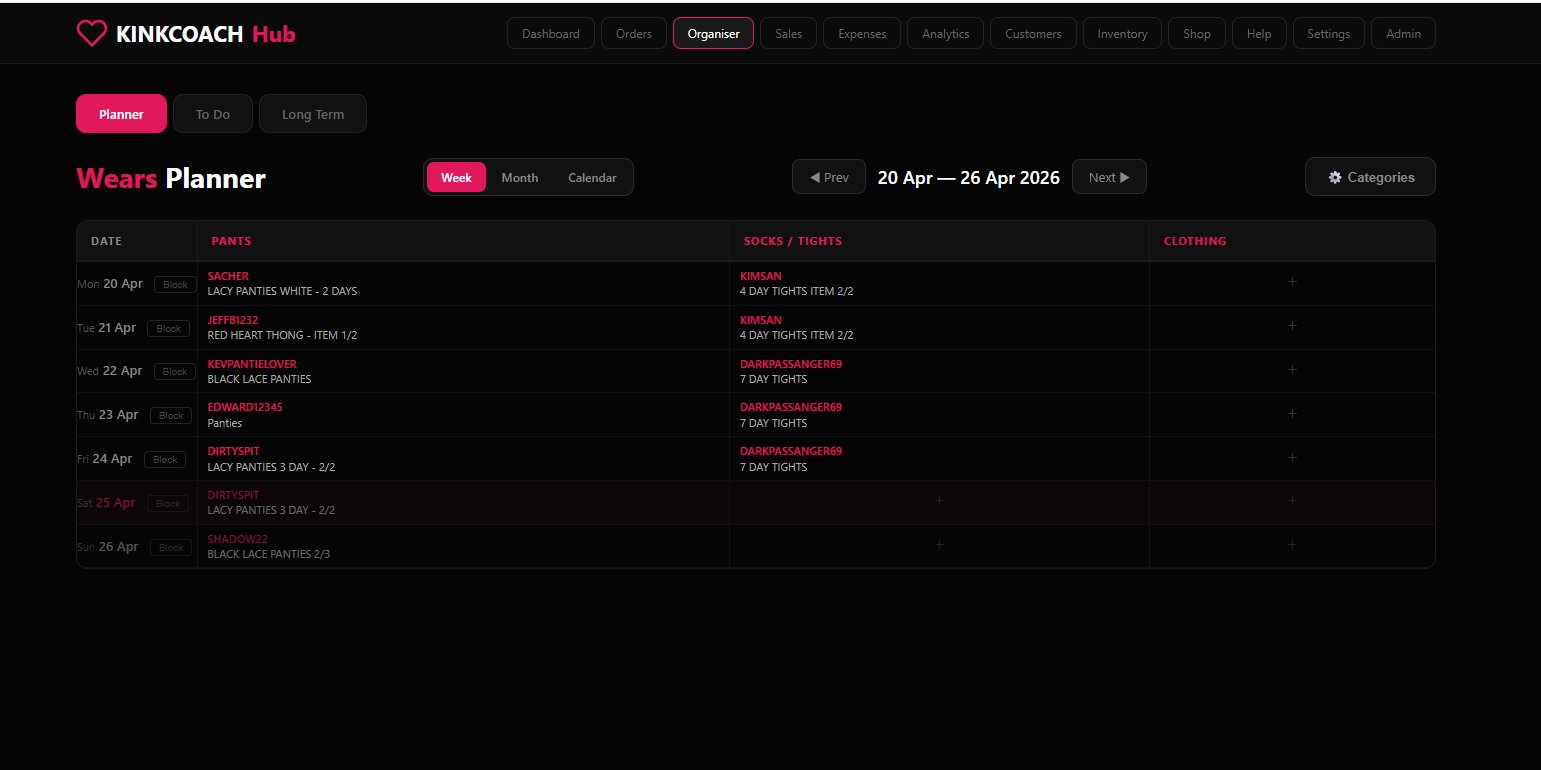
Plan what you're wearing, track what's outstanding, and manage your repeat clients in one place. Daily, weekly, and long-term work all under one roof.
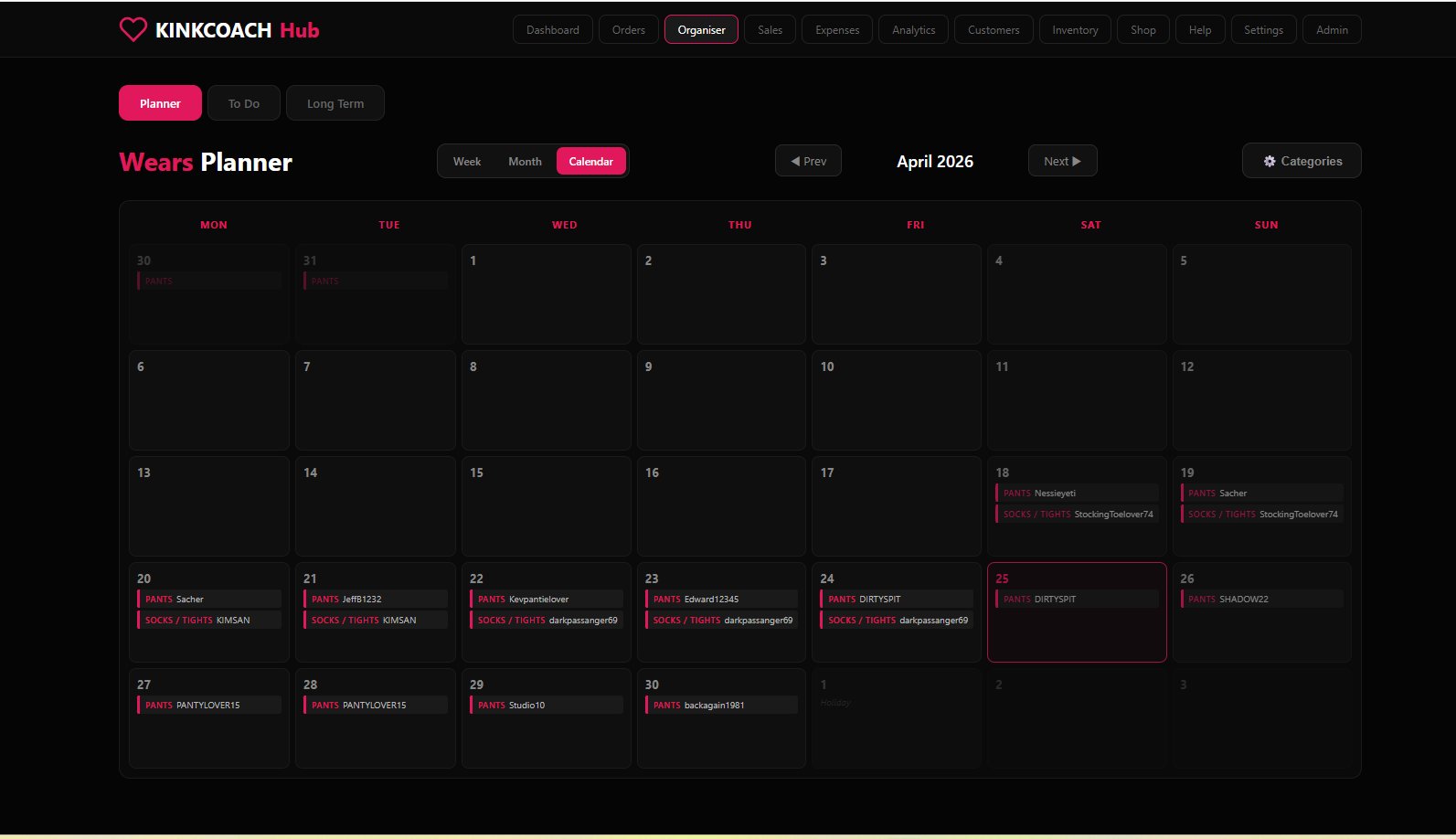
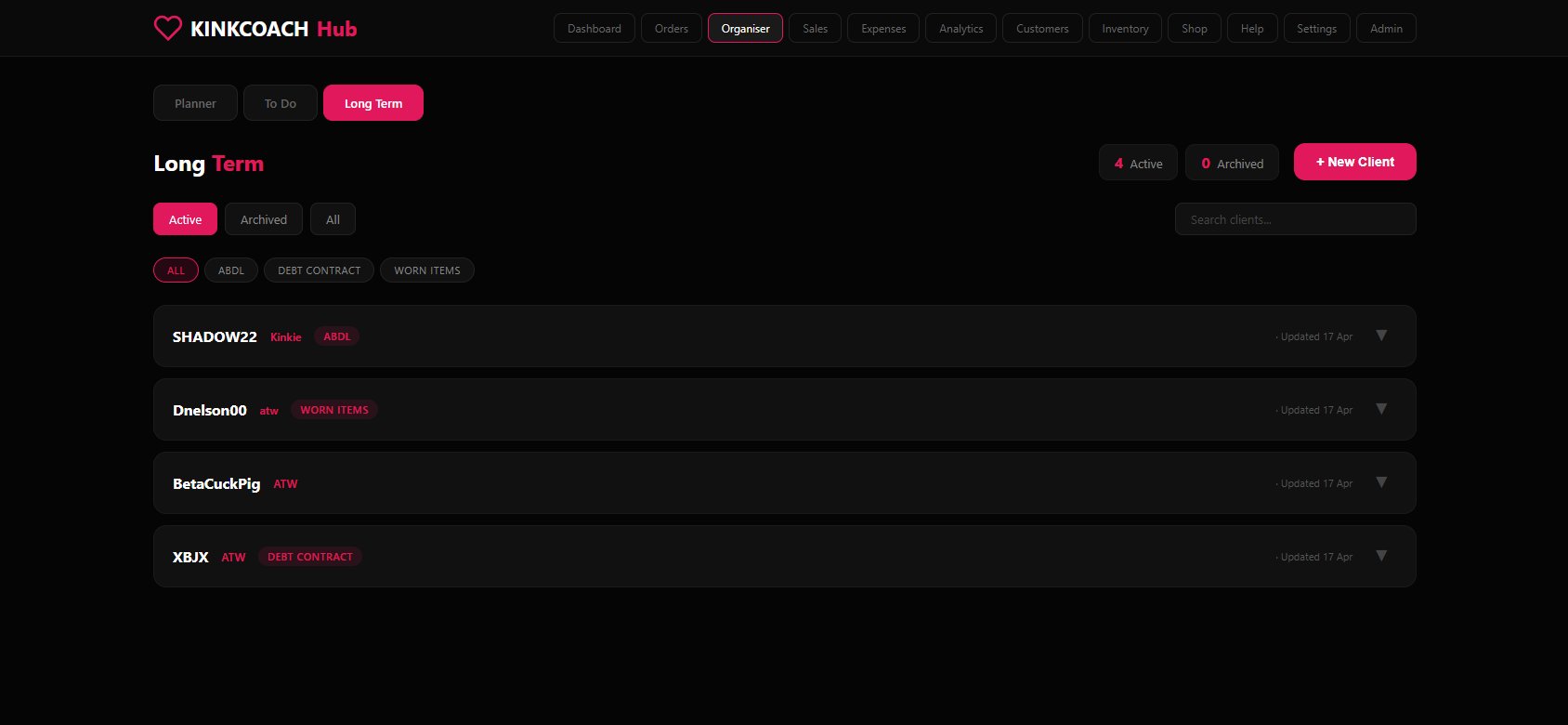
Wears Planner
Visual weekly, monthly, or calendar view of what's being worn each day. Block holidays, set custom categories per user, never double-book again.
To Do
Simple checklist for the bits and pieces. Add, tick, done. Progress counter so you can see how much is left.
Long Term Clients
Track ongoing relationships. ABDL, debt contracts, ownership packages, worn item subscriptions. Categorised, searchable, archiveable.
Every Sale, Categorised
Day-by-day editable rows, monthly P&L breakdown, recent activity rolling windows, year-to-date and all-time totals. Per-platform splits so you know exactly what each channel earns. CSV export ready when your accountant asks.
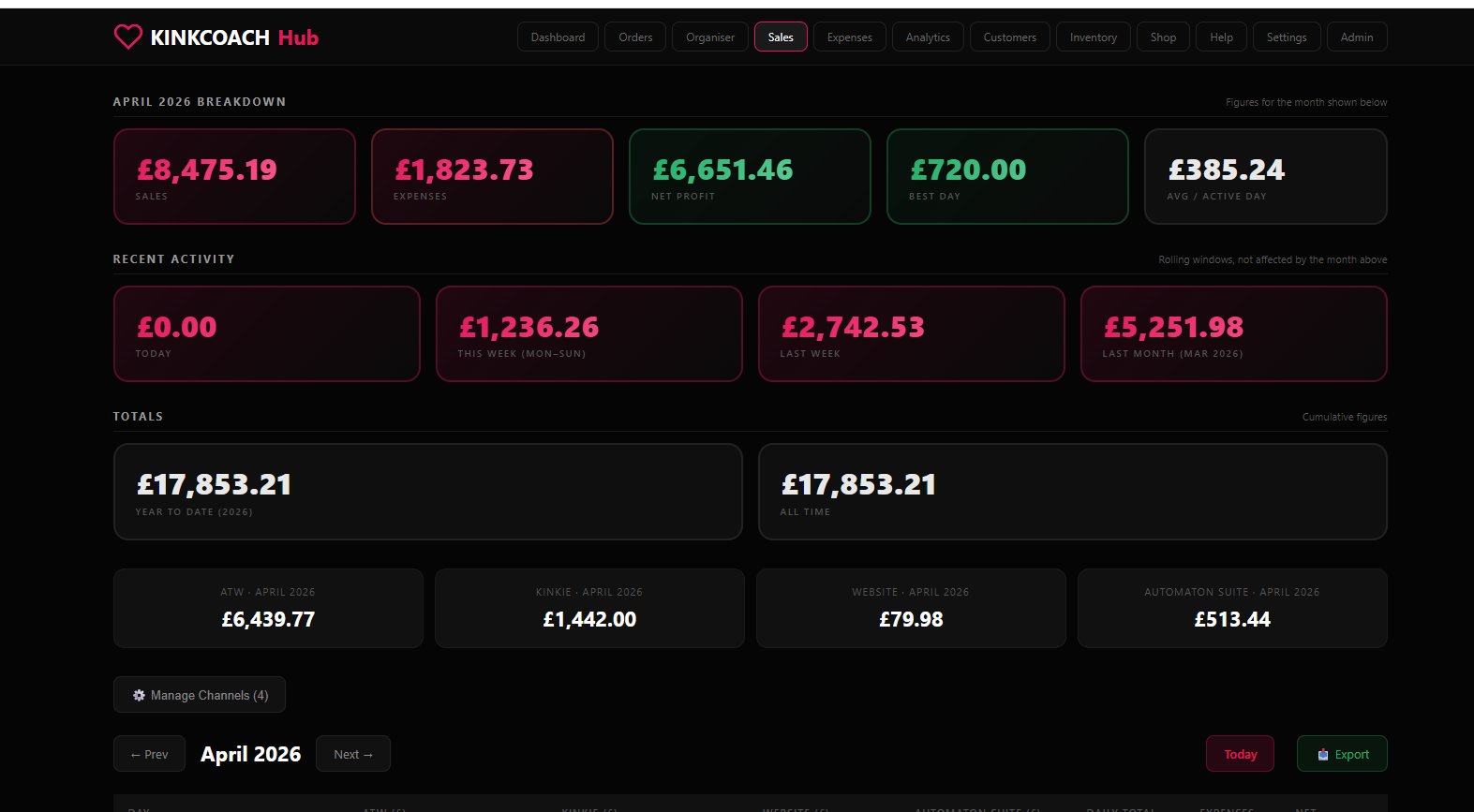
Daily Sales Entry
Log sales per day, per channel. Save inline, no admin overhead.
Per-Platform Breakdown
See exactly how much each platform earned this month. ATW, Kinkie, Website, Automation Suite, all separated.
Best Day & Average
Track which days and patterns drive your revenue. Spot the trends that actually matter.
CSV Export
Ready for your accountant, your tax return, or your own analysis. One click, full data.
UK Self-Assessment Ready
Pre-categorised expense fields aligned with HMRC's allowable expenses. Bar chart by category, year-to-date and tax-year totals, plus a Tax Summary export ready for your return or to hand to your accountant.
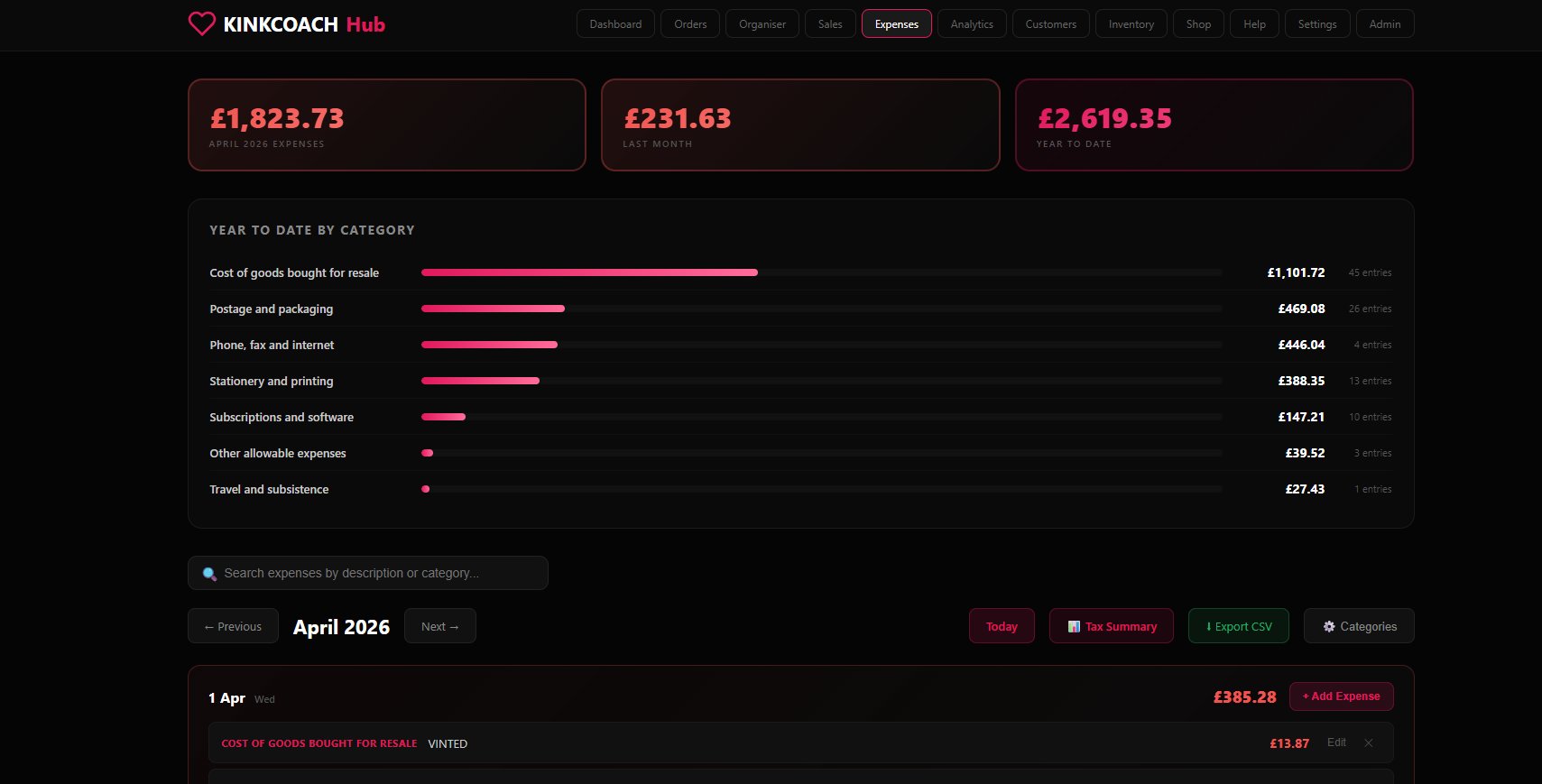
HMRC Categories
Cost of goods, postage, phone, stationery, subscriptions, travel. All aligned with self-employment forms.
Year-to-Date Tracking
Running totals by category with entry counts. See where the money is actually going.
Tax Summary Export
One-click export ready for self-assessment or your accountant. No spreadsheet wrangling.
Day-Grouped Entries
Add expenses as they happen. See them organised by day with a category pill on each one.
The Numbers, Visualised
Revenue, orders, average order value, net profit at a glance. Custom date ranges, line charts for revenue vs expenses, donut charts for revenue split by platform and category, plus a 12-month rolling bar chart.
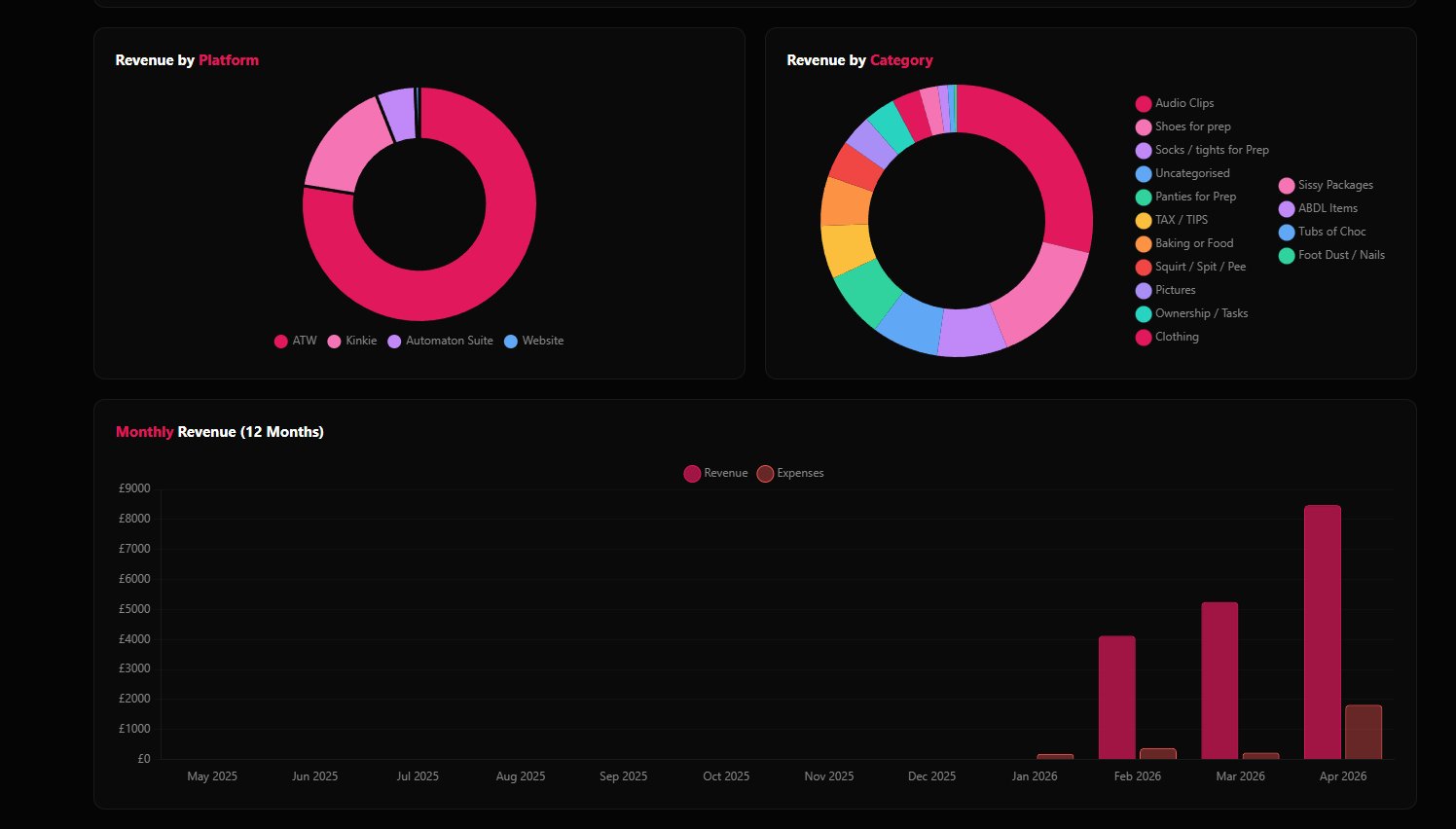
Revenue Trends
Line chart of revenue vs expenses across your chosen range. Spot peaks, dips, and patterns.
Platform & Category Splits
Donut charts showing where your money actually comes from. ATW vs Kinkie vs Website. Audio Clips vs Worn Items vs Coaching.
AOV & Profit
Average order value and net profit calculated automatically. Know what each customer is worth and what you're keeping.
Custom Ranges
This month, last 3 months, last 6 months, this year, all time. Switch instantly with one click.
Every Buyer, One Directory
Pulls in automatically from your orders. Search by username, name, email, or address. Sortable by total spent and last order so you know exactly who your big spenders are and who's gone quiet.
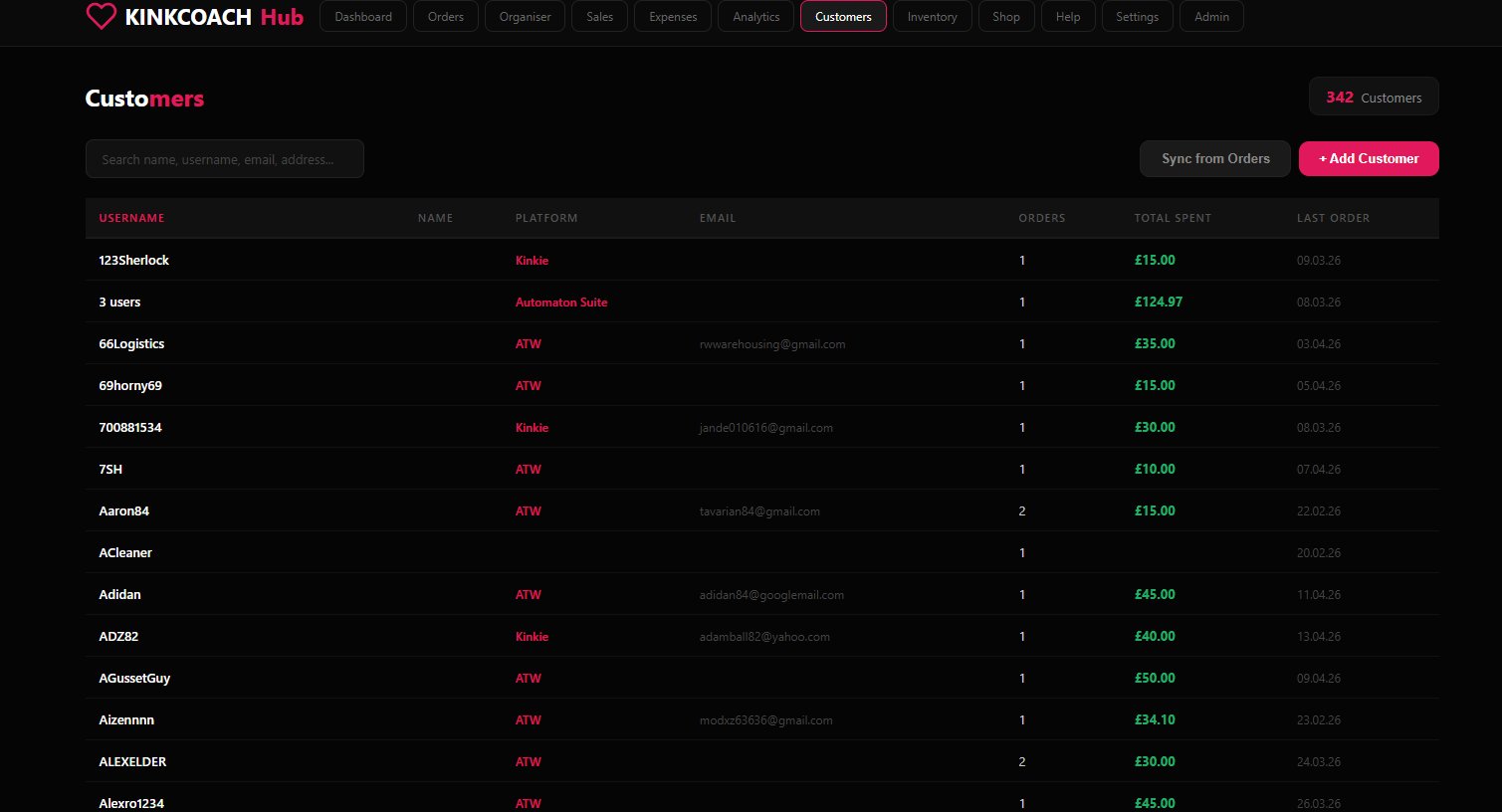
Auto-Sync from Orders
One click to pull every customer from your order history into the directory. No double entry.
Search Everything
Find any buyer by username, name, email, or address in seconds.
Total Spent & Last Order
Know who your big spenders are and who hasn't ordered in a while. Sortable by either column.
Manual Add
Add customers who didn't come through orders. DM-only buyers, returners, anyone you want tracked.
Stock, Auto-Tracked
Set a quantity on any listing in the Vault and it appears here automatically. Tracked, low, and out-of-stock pills. Quick +/- adjusters per row, in-place editing, no separate tracking system.
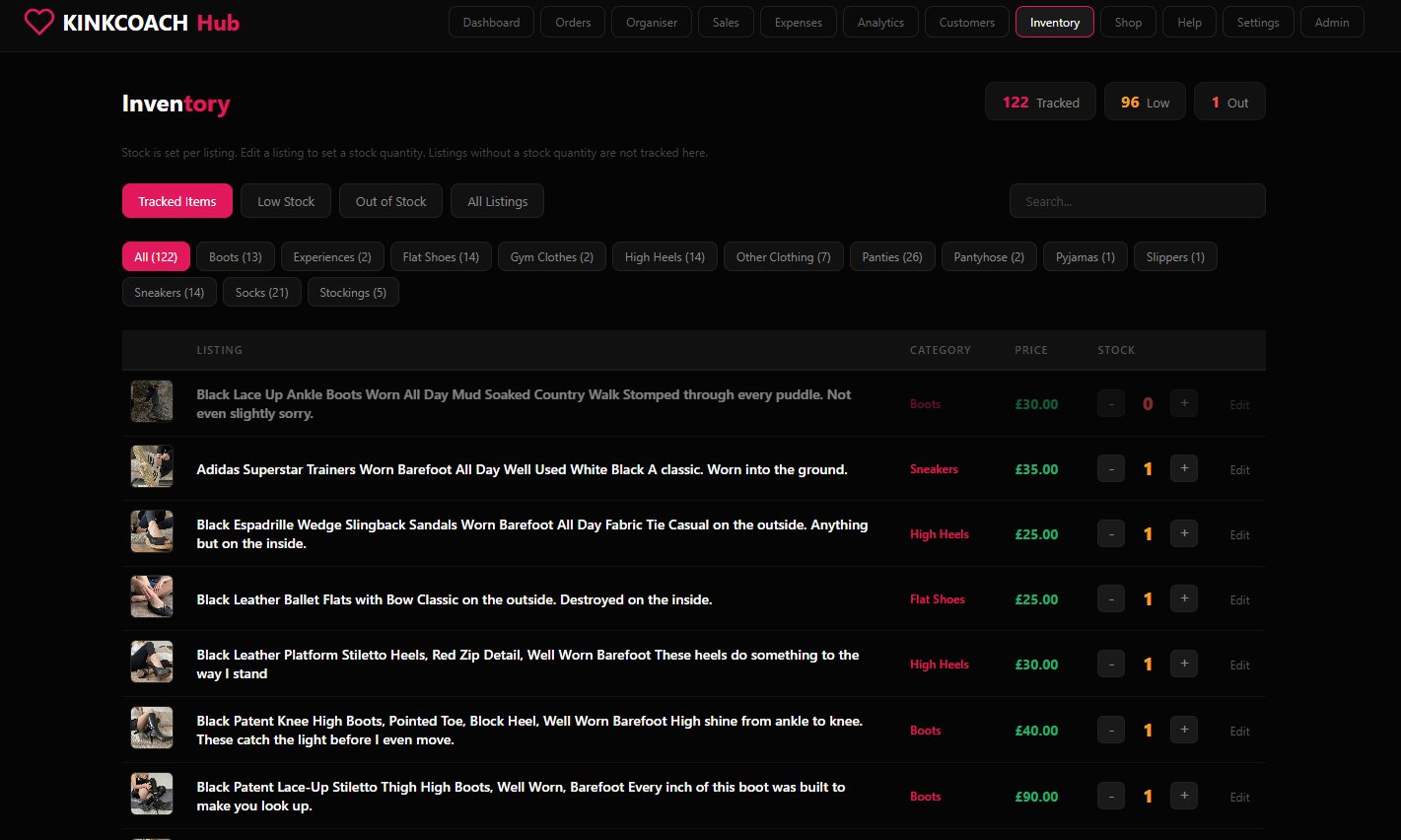
Auto-Tracked from Listings
Set a quantity on any listing and it appears here automatically. No duplicate data entry.
Low & Out Alerts
Spot anything running low at a glance. Three count pills at the top tell you exactly what needs restocking.
Quick Stock Adjust
Plus and minus buttons per listing for one-click stock changes. Faster than opening the listing.
Category Filters
Narrow by boots, panties, socks, anything you sell. Spot stock issues by type, not just by listing.
Your Own Webstore, Your Own Rules
Run a hosted webstore at your own URL, powered by your Vault. Sell direct to buyers, set your own prices, skip platform fees, and stay live even when a platform drops you. Your shop, your domain, always yours.
Custom URL
Hosted at your own subdomain on kinkcoach.me, or connect a domain you already own. Your brand, your address.
Direct Buyer Sales
Stripe checkout built in. Take orders direct, skip the platform cut, get paid into your own account.
Powered by Your Vault
Same listings, same photos, pushed live to your storefront automatically. Edit once, your store updates with everything else.
Banned-Proof
If a platform drops you, your storefront keeps trading. Always online, always under your control.
Guides, Tutorials & Coaching
Buy guides, video tutorials, and personal coaching from Mistress Alex. Every purchase unlocks instantly in your Library, tracked in your account, with all your downloads in one place.
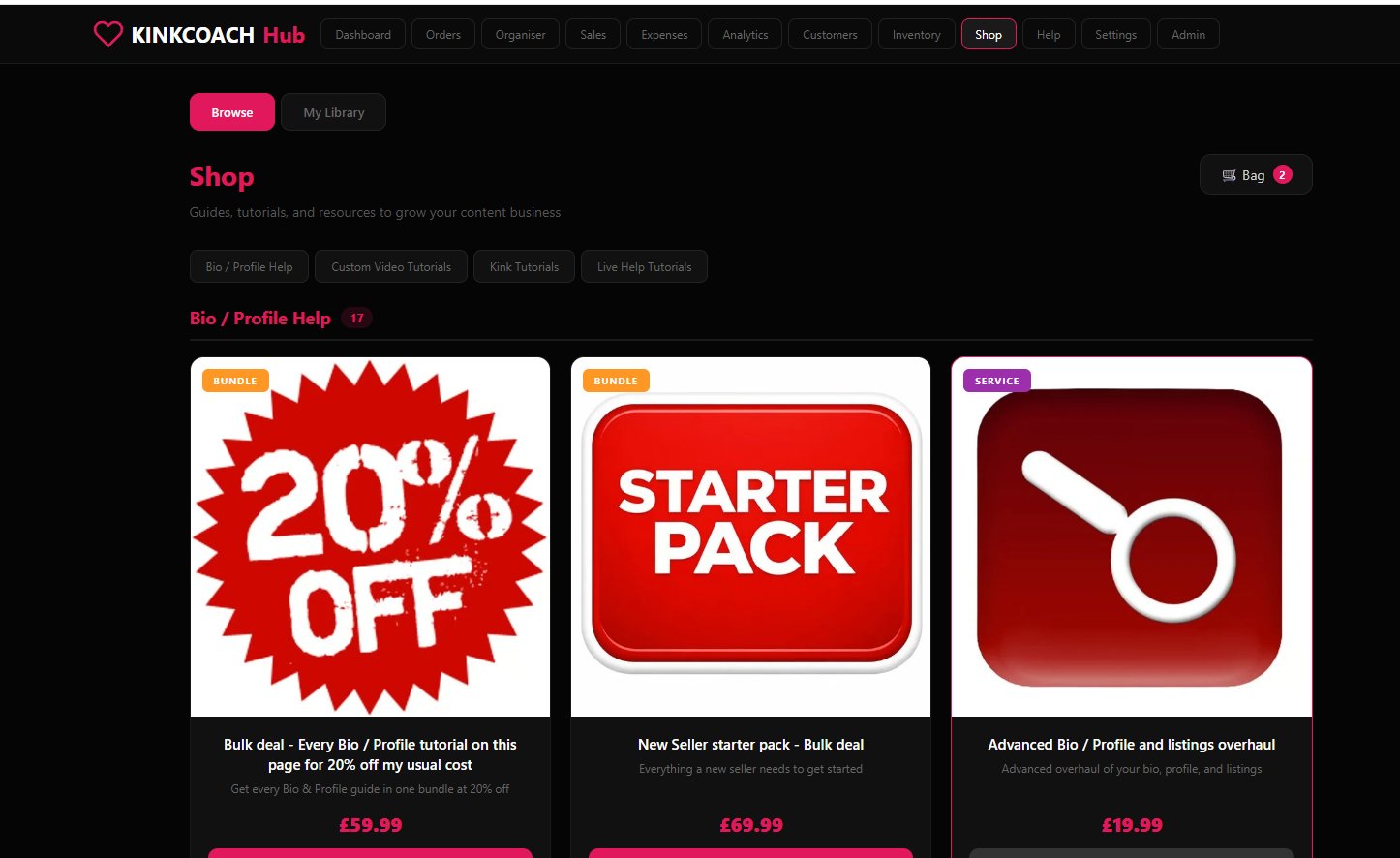
Guides & Tutorials
Profile help, custom video walkthroughs, kink tutorials. All written from real seller experience.
Personal Services
Live coaching, custom listing writing, profile overhauls. Delivered direct via Telegram with clear instructions.
Instant Library Access
Purchase confirms instantly. Content unlocks straight away in your Library tab, ready to download or stream.
Stripe Checkout
Secure payment, full receipts, refund protection. Same trusted checkout used by every major brand.
Video Tutorials & Quick Links
Searchable, categorised video walkthroughs covering every part of the Hub. Plus quick-link cards to Downloads, Referrals, and Shop. Updated as new features roll out.
Video Library
Step-by-step walkthroughs for every Hub feature. YouTube, Drive, and Loom embeds all supported.
Categorised Help
Find answers fast by section. Listings, orders, sales, sync, anything. No scrolling through 200 articles.
Quick Links
Jump to Downloads, Referrals, and Shop with one click. The most common destinations always close to hand.
Always Up to Date
New videos and guides added as features ship. The Help section grows with the Hub itself.
Ready to Sign Up?
Get full access to the Hub, the sync extension, and your choice of platform automation tool. Cancel any time.
Take Me to Sign Up →